How to send your Elite journal history to Directive 47 from inside the app. Nothing leaves your machine until you press SEND IT in step 4.
Your journals help find bugs that nobody has reported yet. Your Commander name and IDs are replaced with stand-ins and other players’ messages are removed before you see anything. The donation privacy notice says who holds it and how to have it deleted.
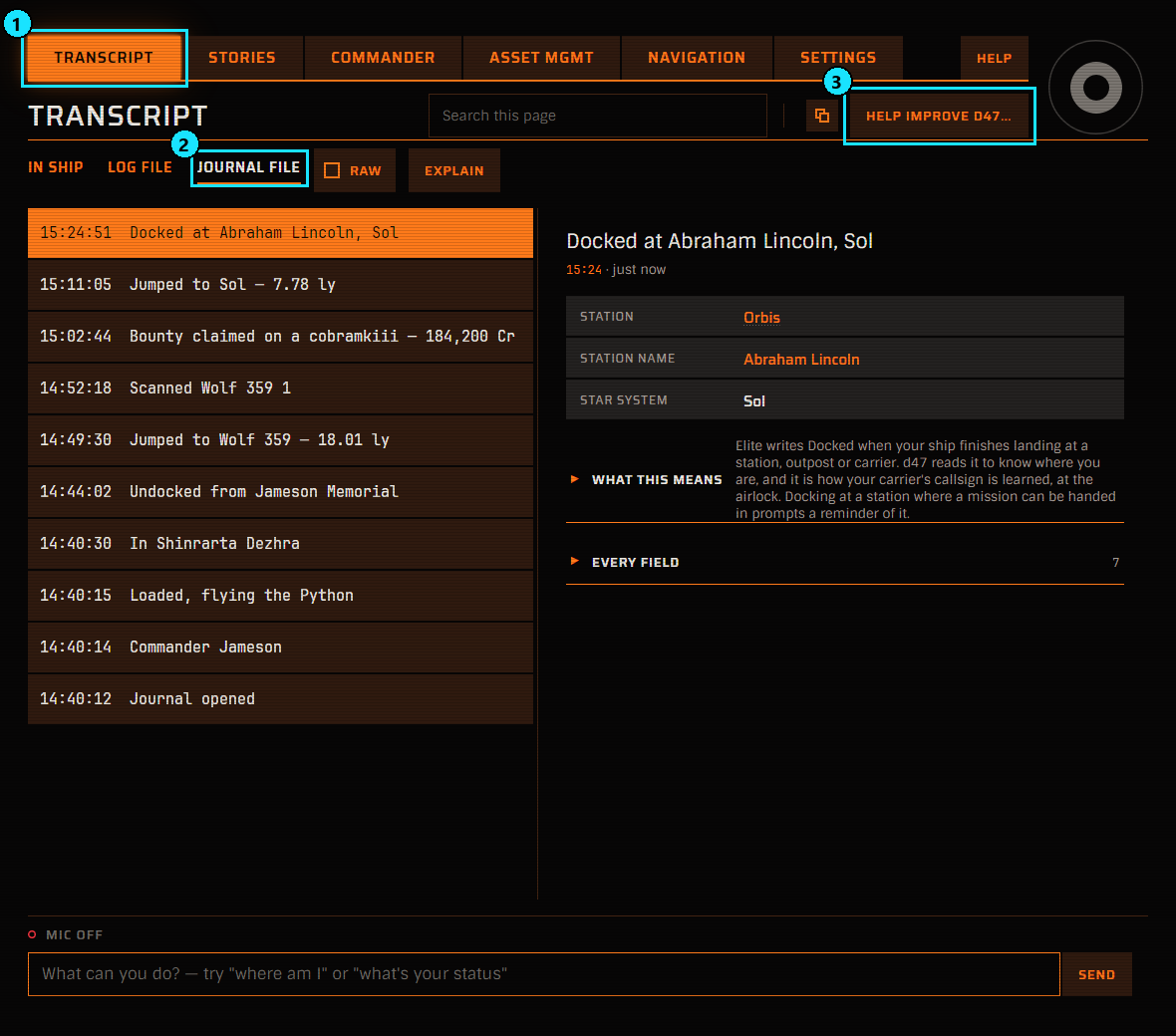
1. Open Help improve D47
- Select the TRANSCRIPT tab.
- Select JOURNAL FILE.
- Press HELP IMPROVE D47… at the top right.
The same button is on LOG FILE and opens the same page.
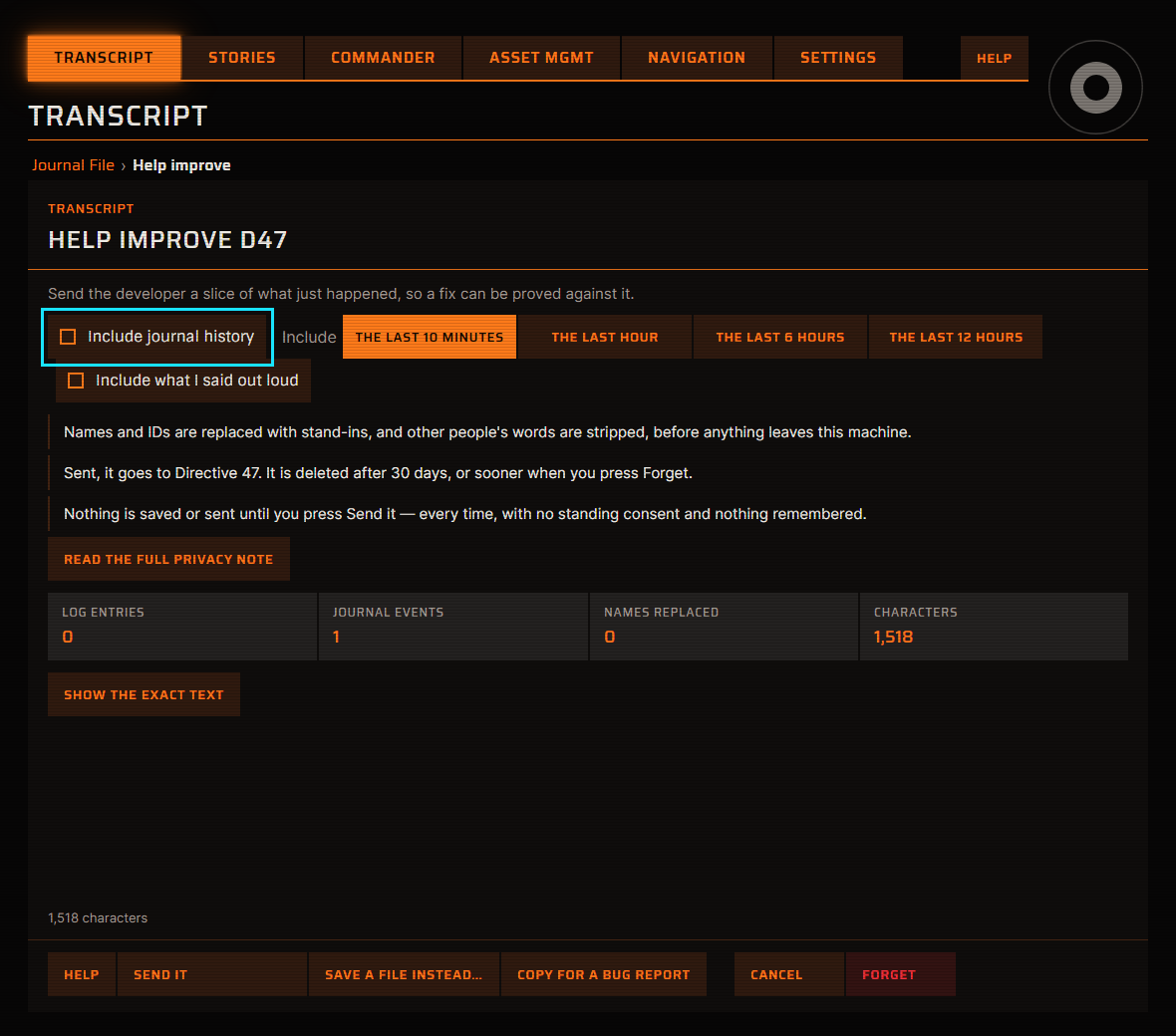
2. Tick Include journal history
The page opens on a short excerpt of the last few minutes. Ticking Include journal history switches it to your journal history.
Reporting one thing that just went wrong? Leave the box unticked and press SEND IT on this page. That sends only the excerpt, which is deleted after 30 days.
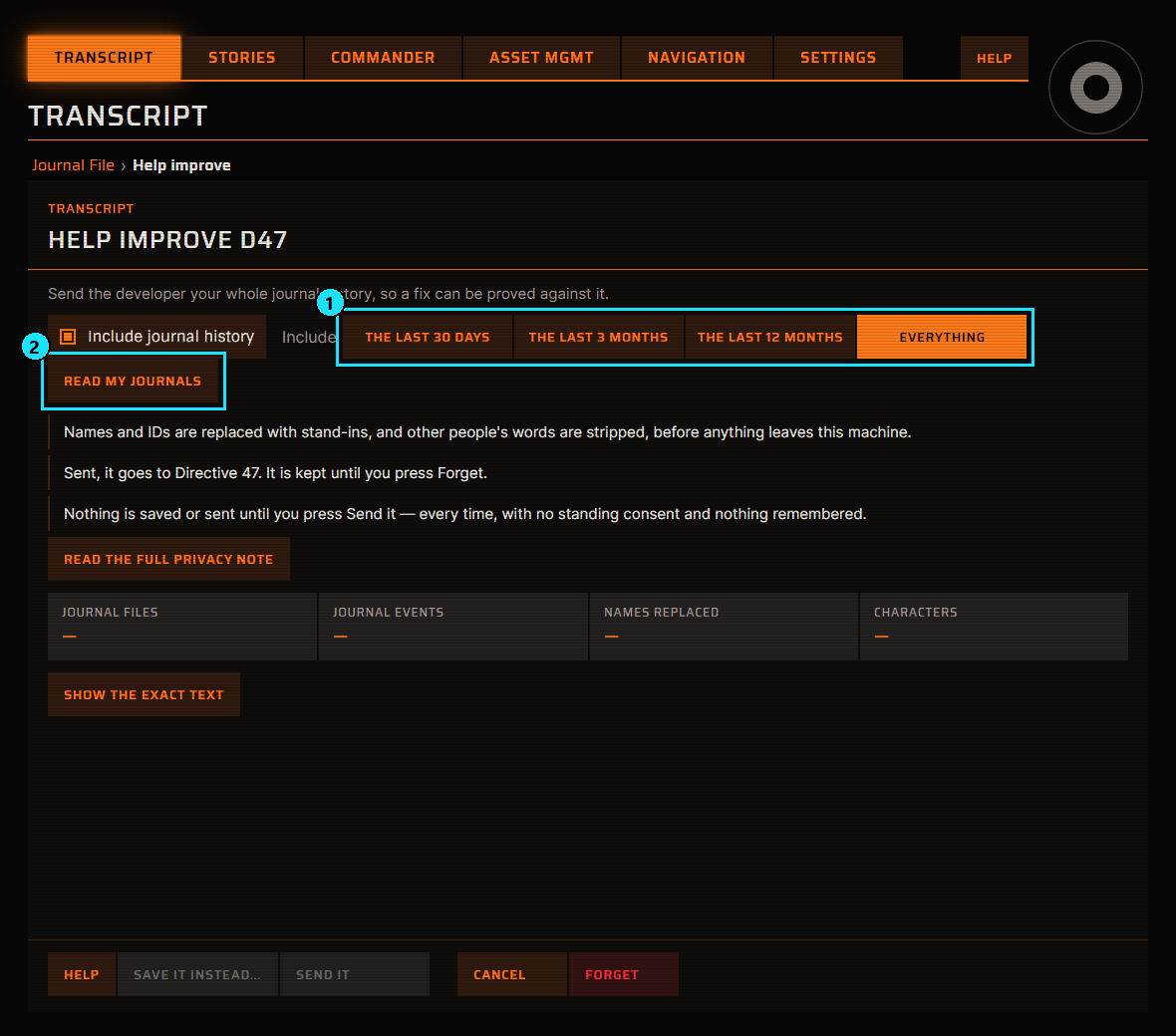
3. Choose Everything, then read your journals
- Under Include, choose EVERYTHING. The whole history gives the most to test against. THE LAST 30 DAYS, THE LAST 3 MONTHS and THE LAST 12 MONTHS are there if you would rather send less.
- Press READ MY JOURNALS.
Reading happens on your machine and sends nothing. A long history takes a few seconds, and the line above the buttons counts the files as it goes.
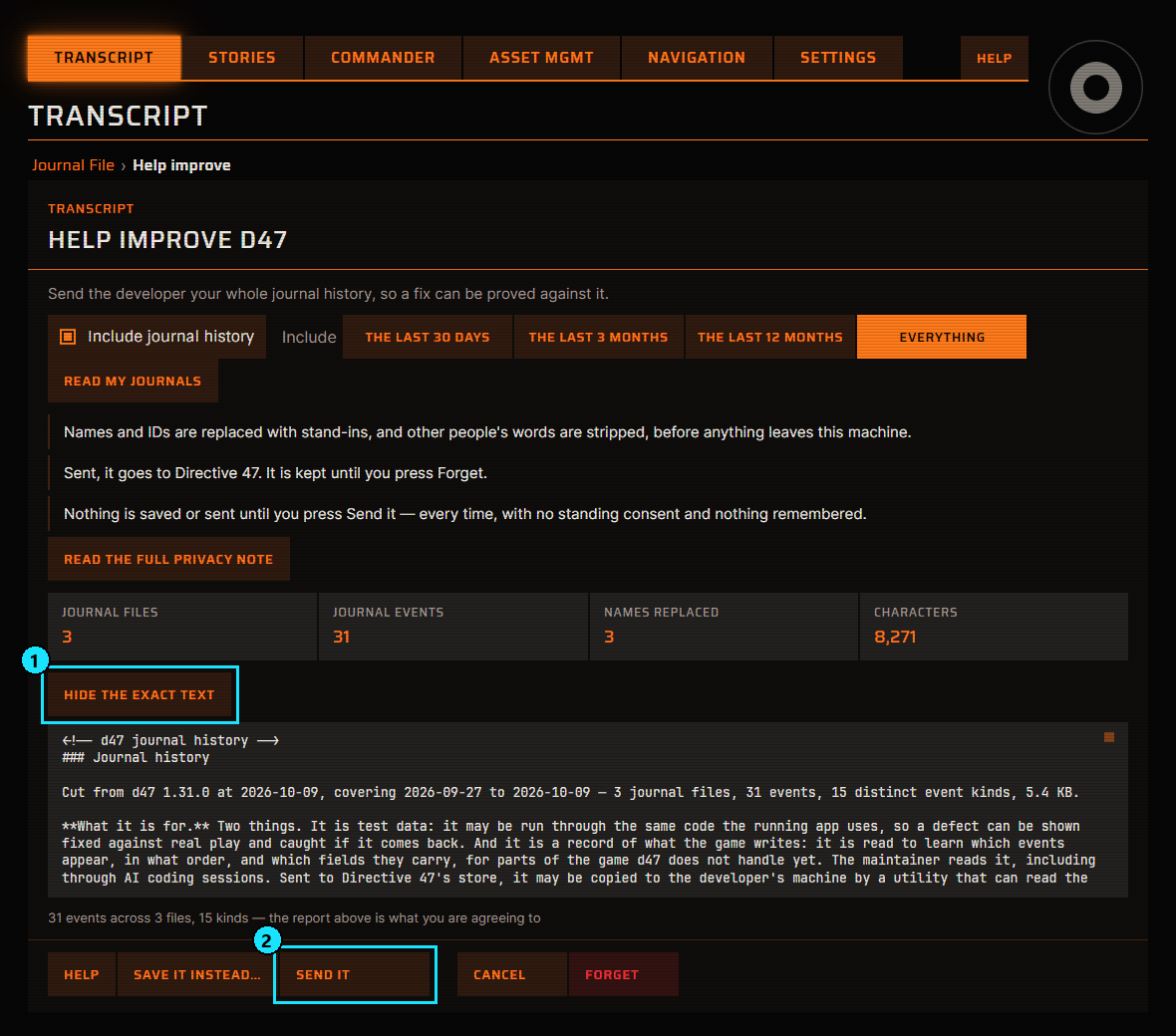
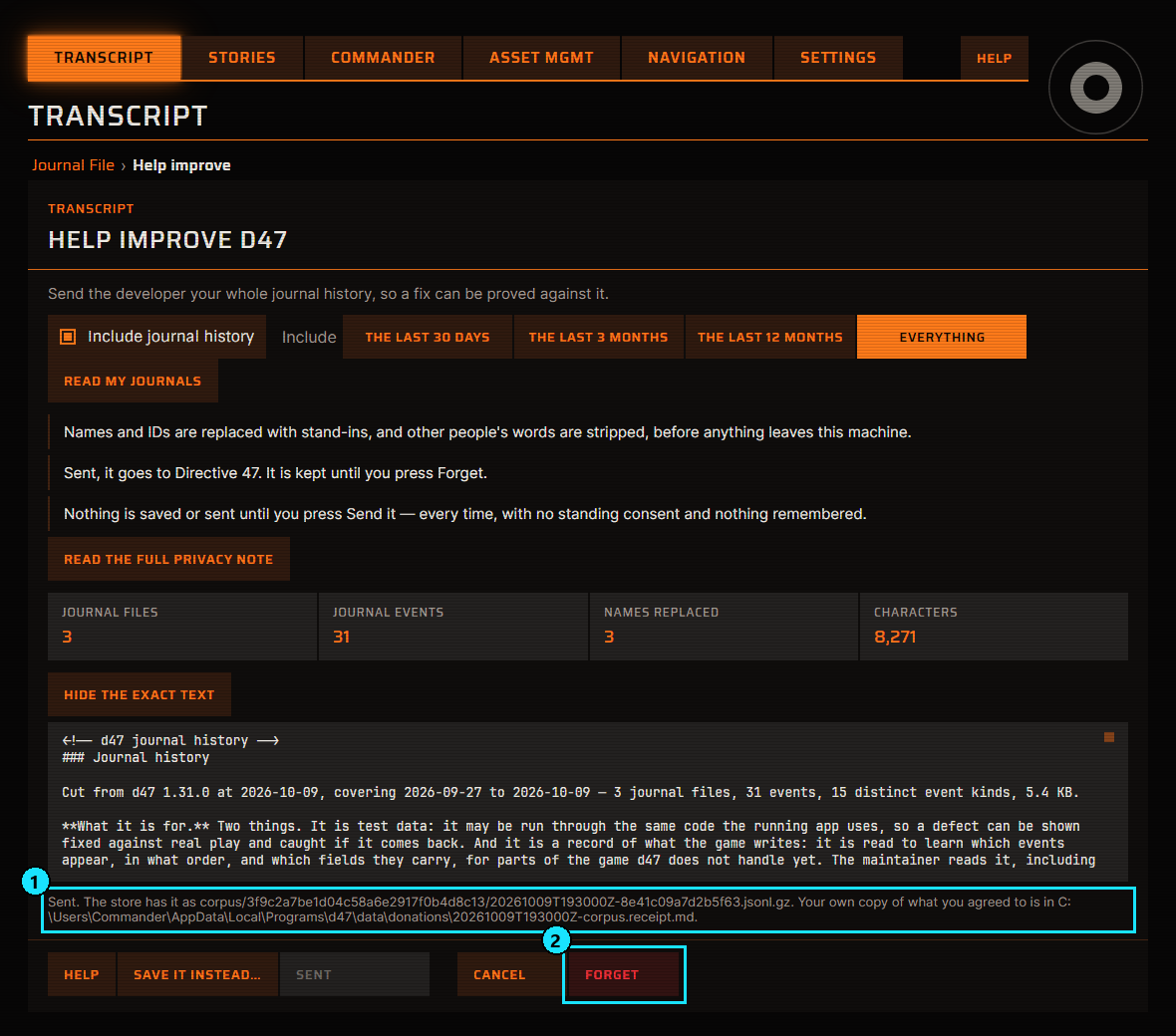
4. Check what will be sent, then send it
- Press SHOW THE EXACT TEXT to read the report. The button then reads HIDE THE EXACT TEXT. The report lists every kind of event included, with one real scrubbed line of each.
- Press SEND IT.
A very long history is too large for one upload, so it is sent in parts. The report says how many, the progress line says which part is sending, and your one yes covers all of them. Each part is a donation of its own with its own receipt, and Take back my donations erases every part.
Rather not send it over the network? SAVE IT INSTEAD… writes the scrubbed history to a file, and what you do with that file is up to you.
5. Done
- The line above the buttons starts with Sent and says where your own copy of what you agreed to is saved.
- FORGET deletes everything this installation has sent, whenever you want. A journal history is kept until you press it.
More about this
- Help improve D47: what the scrub keeps and why a history is shown as a report.
- Donation privacy notice: who holds it, for how long, and how to have it deleted.